HMRC Signed Me Up for Making Tax Digital: What to Do Now
Got a letter saying HMRC has signed you up for MTD for Income Tax? Here's why it happened, the five steps to take, how to catch up on missed quarterly updates, and what to do if you think it's wrong.
The short answer
From September 2026 HMRC is signing up sole traders and landlords whose 2024-25 qualifying income was over £50,000 but who hadn't joined MTD. If you've had the letter: check your income sources in HMRC online services, get compatible software, create digital records from 6 April 2026 and send any overdue quarterly updates as soon as possible. There are no penalty points for late quarterly updates in 2026-27, but a late tax return still earns one.
If a letter or a message in your HMRC online account says HMRC has signed you up for Making Tax Digital for Income Tax, you're not alone. From September 2026 HMRC started signing people up itself, in stages, rather than waiting for them to do it.
Here's why it happened and what to do next.
Why HMRC signed you up
MTD for Income Tax became compulsory on 6 April 2026 for sole traders and landlords whose qualifying income in the 2024-25 tax year was over £50,000. Qualifying income is your self-employment and property income before expenses (your turnover), taken from your tax return. Wages, pensions and dividends don't count. See our guide to what counts as qualifying income.
If your 2024-25 return was over the line and you didn't sign up, HMRC has now done it for you, based only on the information it already holds. That's why the first step is checking that information is right.
The five steps after the letter
1. Sign in and check your income sources
Sign in to HMRC online services with your usual Self Assessment details and choose Making Tax Digital for Income Tax. HMRC's records come from your 2024-25 return (and your 2025-26 return, if you've filed it). Check:
- every self-employment is listed;
- your property: all UK lettings form one UK property business, and all overseas lettings form one foreign property business;
- any new income sources are added and any ceased ones are closed.
Changes to your address, business name or description go to Self Assessment general enquiries (agents use the agent dedicated line).
2. Deal with any income that has stopped
- Stopped before 6 April 2026: update your online account. You don't need MTD, but you must still file your 2025-26 return by 31 January 2027.
- Stopped on or after 6 April 2026: you still use MTD for 2026-27. Send a quarterly update covering the period up to the date your income stopped, then submit your 2026-27 return through MTD software. After that, MTD no longer applies. More in stopping trading under MTD.
3. Get compatible software
HMRC doesn't provide software. Choose a product that covers all your income sources and your accounting period. Our software checklist walks through what to look for.
4. Catch up
Before you start, authorise your software with HMRC and check the accounting period it's set to. Then:
- create digital records from the start of the tax year (6 April 2026);
- send any overdue quarterly update as soon as possible.
Quarterly updates are cumulative: each one covers 6 April to the end of the period. So catching up isn't four separate jobs. Once your records are in, one update brings HMRC up to date to the end of the latest period.
5. Keep going
Carry on recording income and expenses and send the remaining updates by their deadlines: 7 February and 7 May for the rest of 2026-27.
Will I get a penalty?
- Late quarterly updates in 2026-27: no penalty points. You still have to send them, and all of them must be in before you can file your tax return.
- Late tax return: for 2026-27 a late return still earns a penalty point. The 2026-27 return is due 31 January 2028.
- Paying: MTD doesn't change when you pay. Your tax bill is still due by 31 January after the end of the tax year.
See MTD penalties explained for how points add up from 2027-28.
If you think HMRC has got it wrong
Contact Self Assessment general enquiries. If it isn't reasonable for you to use software at all (because of age, disability, location or similar), you can apply for an exemption as digitally excluded. Not being familiar with software, or the cost of it, doesn't count on its own. See MTD exemptions.
Have an accountant?
Your accountant needs to be authorised for MTD before acting for you. If they already act for your Self Assessment, they may already be set up. Ask them. They'll connect their software through their agent services account.
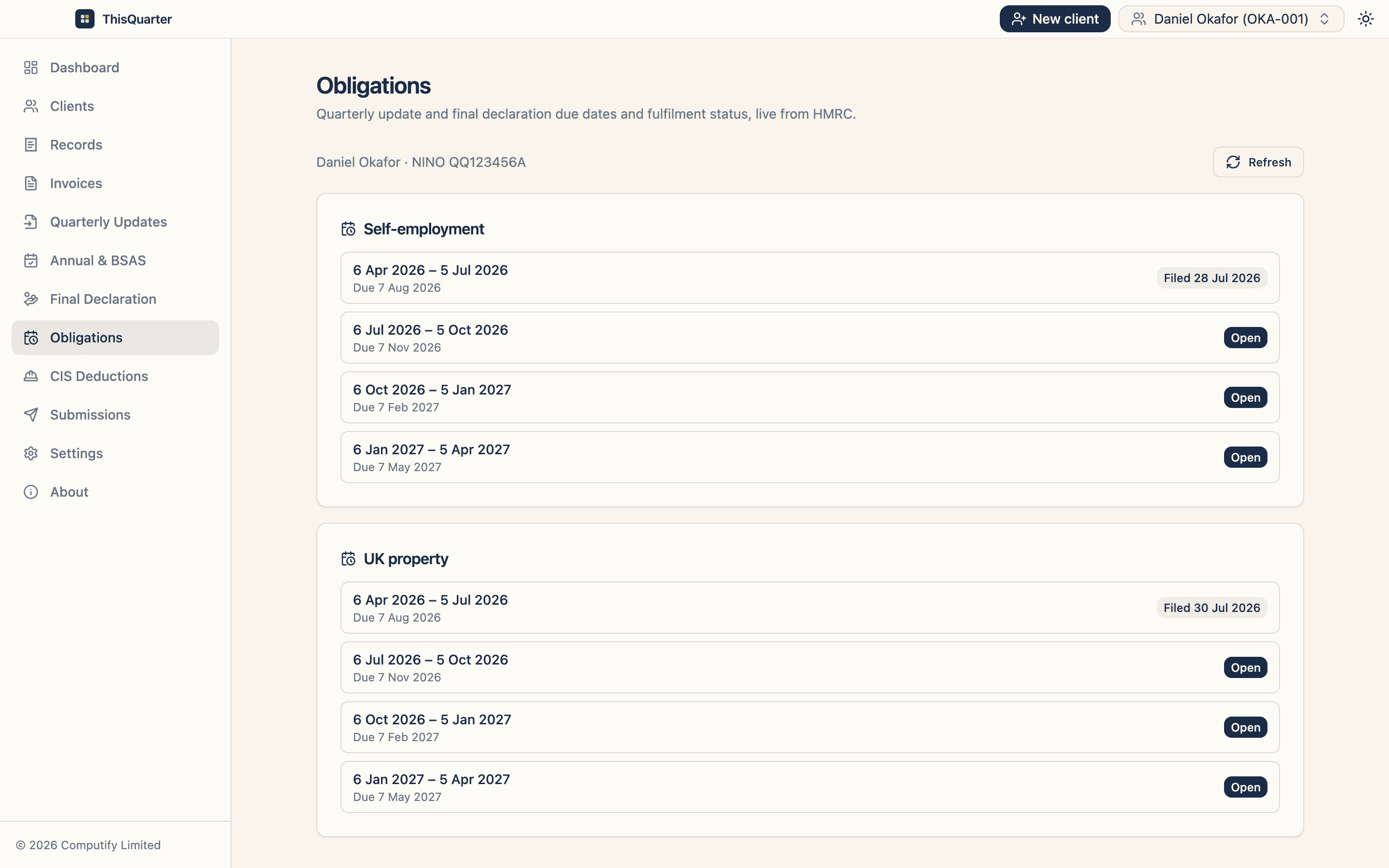
How ThisQuarter helps. ThisQuarter reads your quarterly obligations straight from HMRC, so you can see at a glance which updates are overdue. Because each update is year-to-date, entering your records from 6 April lets you catch up in one submission. See how it works.
Sources
Frequently asked questions
Why did HMRC sign me up for Making Tax Digital?
Your 2024-25 Self Assessment return showed qualifying income (self-employment plus property income before expenses) over £50,000, and you hadn't signed up yourself. From September 2026 HMRC is signing these people up in stages, using the information it already holds.
Will I be fined for the quarterly update I've already missed?
No penalty points are given for late quarterly updates in the 2026-27 tax year. You should still send the overdue update as soon as possible, and every update for the year must be sent before you can submit your tax return.
What if I've stopped trading or letting?
If all your self-employment and property income stopped before 6 April 2026, you don't need MTD; update your HMRC online account and file your 2025-26 return as normal. If it stopped on or after 6 April 2026, you still use MTD for 2026-27 up to the date it ceased.
What if I think HMRC has signed me up by mistake?
Contact HMRC's Self Assessment general enquiries. If it isn't reasonable for you to use software (you're digitally excluded), you can apply for an exemption.
Related reading
Starting a New Business or Rental Under MTD: When Do Updates Begin?
Already in Making Tax Digital and starting a new business or letting? Quarterly updates for the new source usually don't start straight away. Here's when they do, how to add it, and when a new property isn't a new source at all.
MTD from April 2027: A Checklist for the £30,000 Group
If your 2025-26 self-employment and property income is over £30,000, Making Tax Digital starts for you on 6 April 2027. Here's how to check, what to do before then, and your first deadlines.
How to Sign Up for MTD for Income Tax: Step by Step
A step-by-step guide to signing up for Making Tax Digital for Income Tax — what you need, how to register with HMRC (or through your software or accountant), and what happens after you join.