Built around the people who file.
ThisQuarter is new for the 2026–27 tax year. So rather than borrowed logos, here is exactly how each kind of customer uses it — the situation, the screens and what gets filed.
Accountancy practice
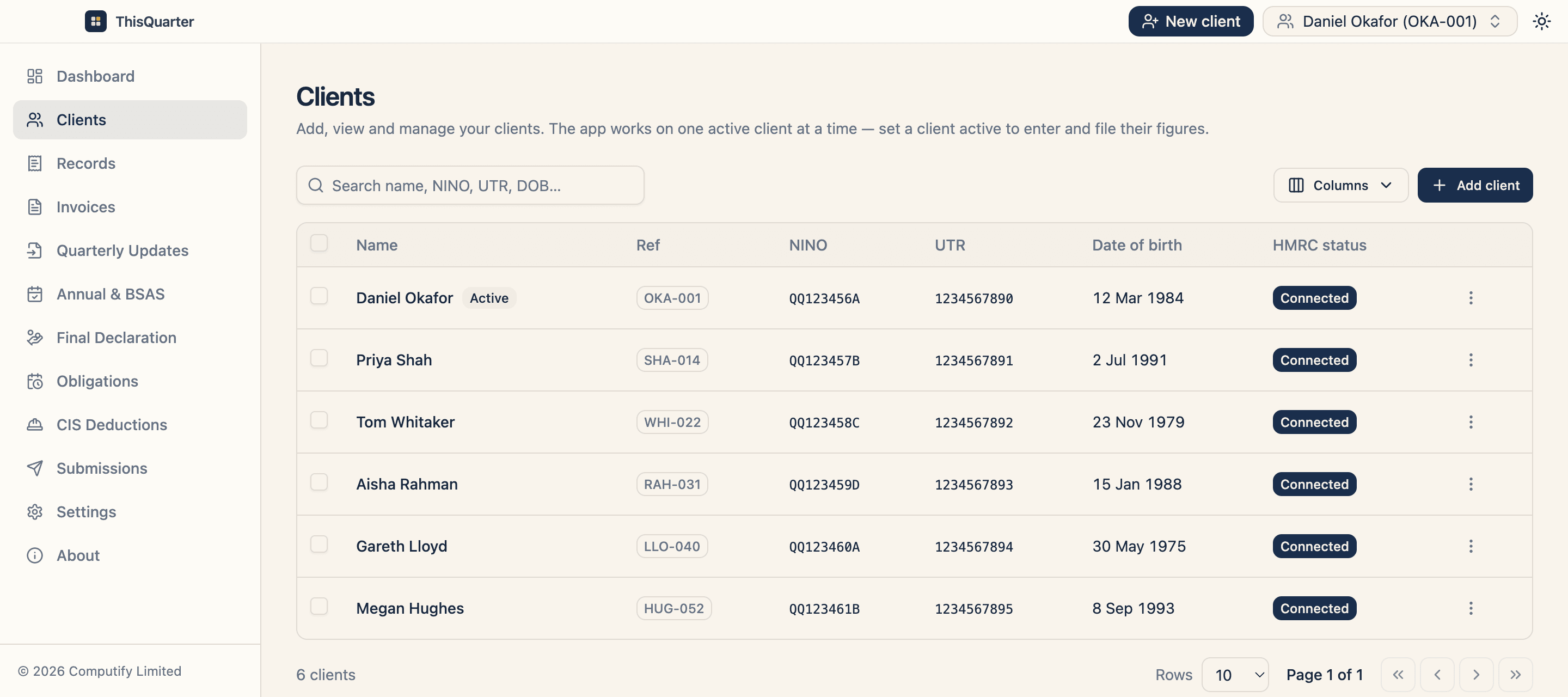
A practice filing every client's quarter from one desktop
Agent Services Account connected once, each client invited and tracked, every quarter filed from the client's own records.
Read the workflow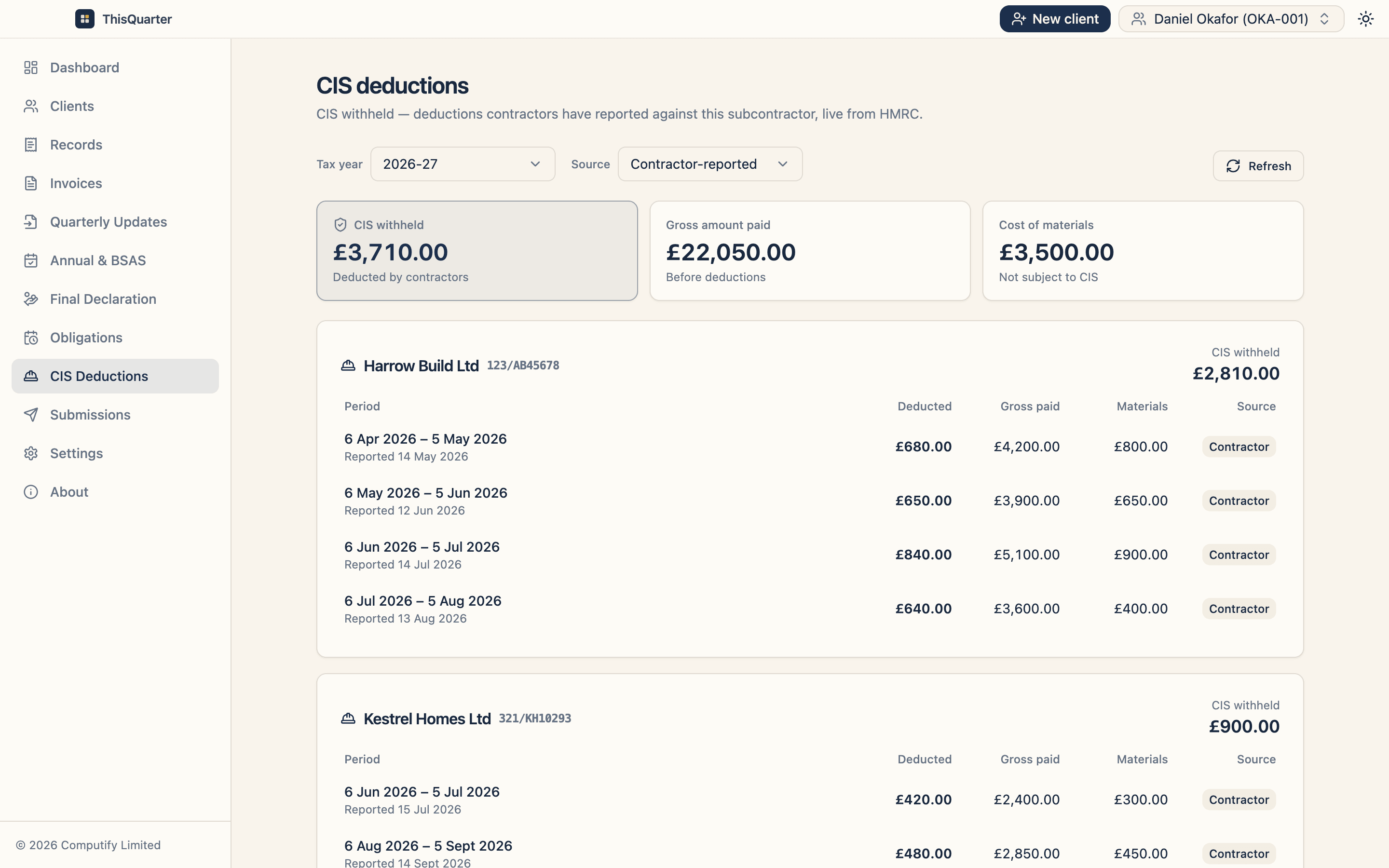
Construction (CIS)
A joiner paid net of CIS by two contractors
Contractor-reported deductions shown period by period, next to the bank records they should match.
Read the workflow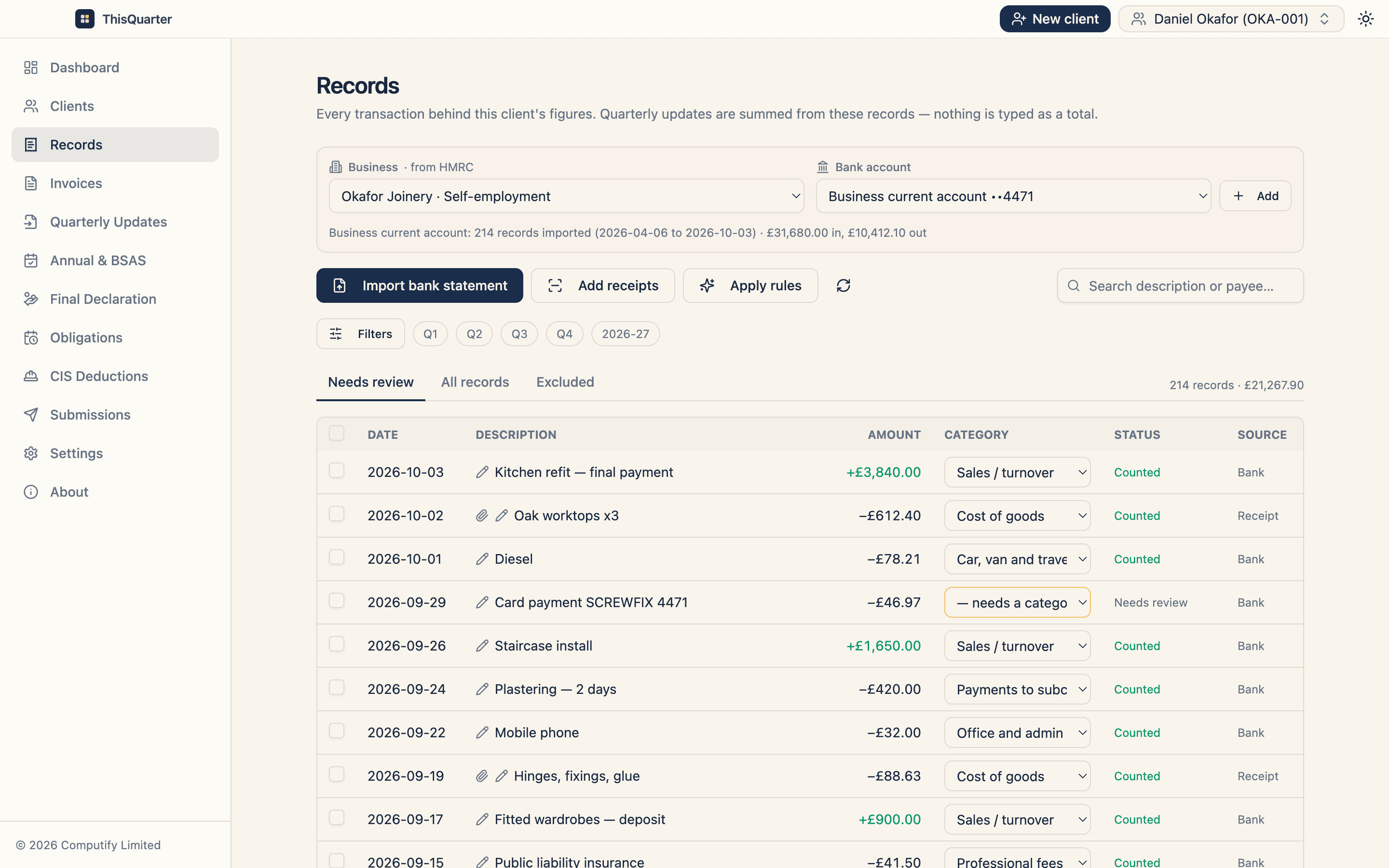
Sole trader
A sole trader with one business bank account
A bank statement in, a few lines categorised, receipts read on the laptop — and the quarter adds itself up.
Read the workflow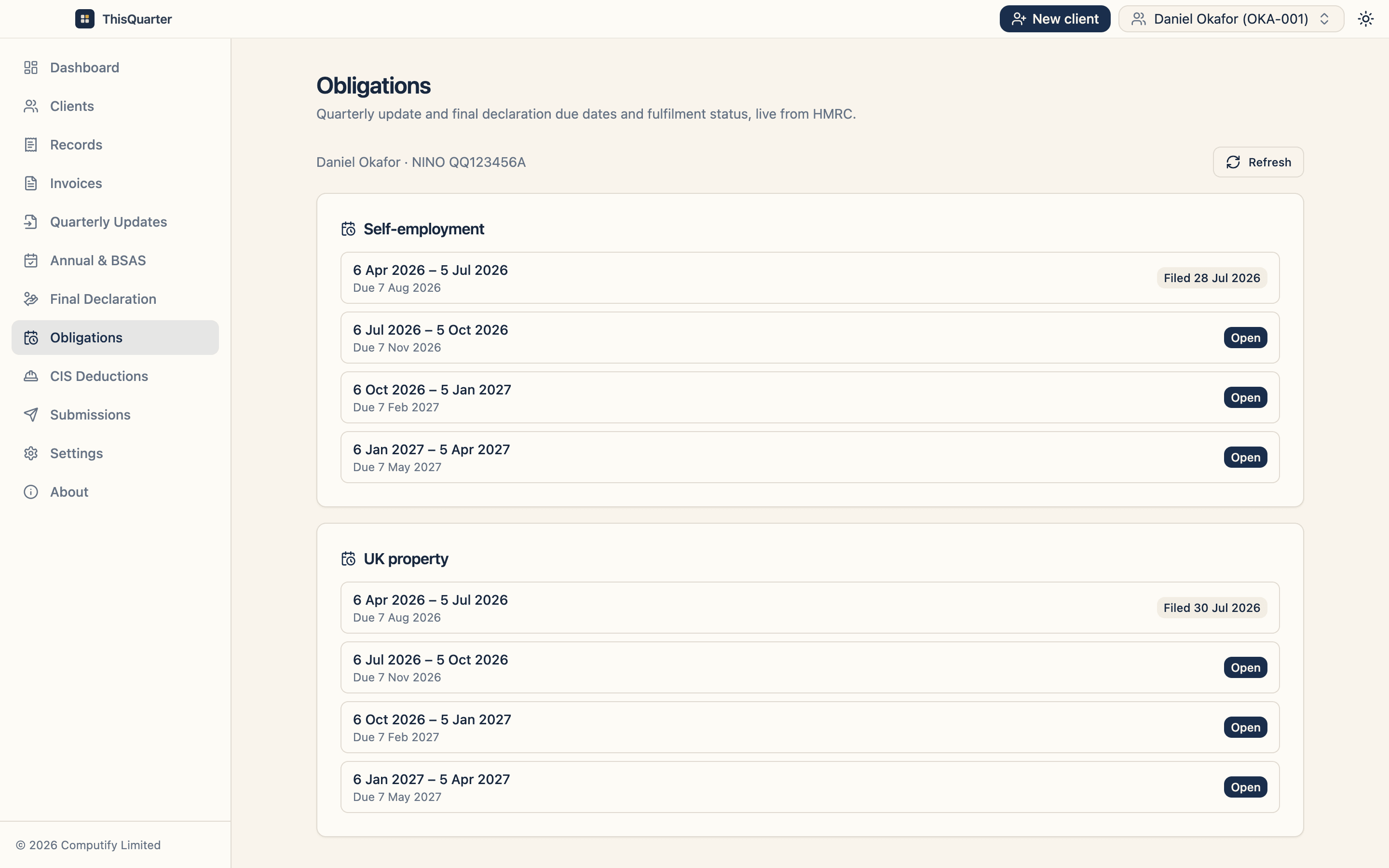
Landlord
A landlord with a trade on the side
Property and self-employment kept apart, each filed against its own HMRC obligations.
Read the workflow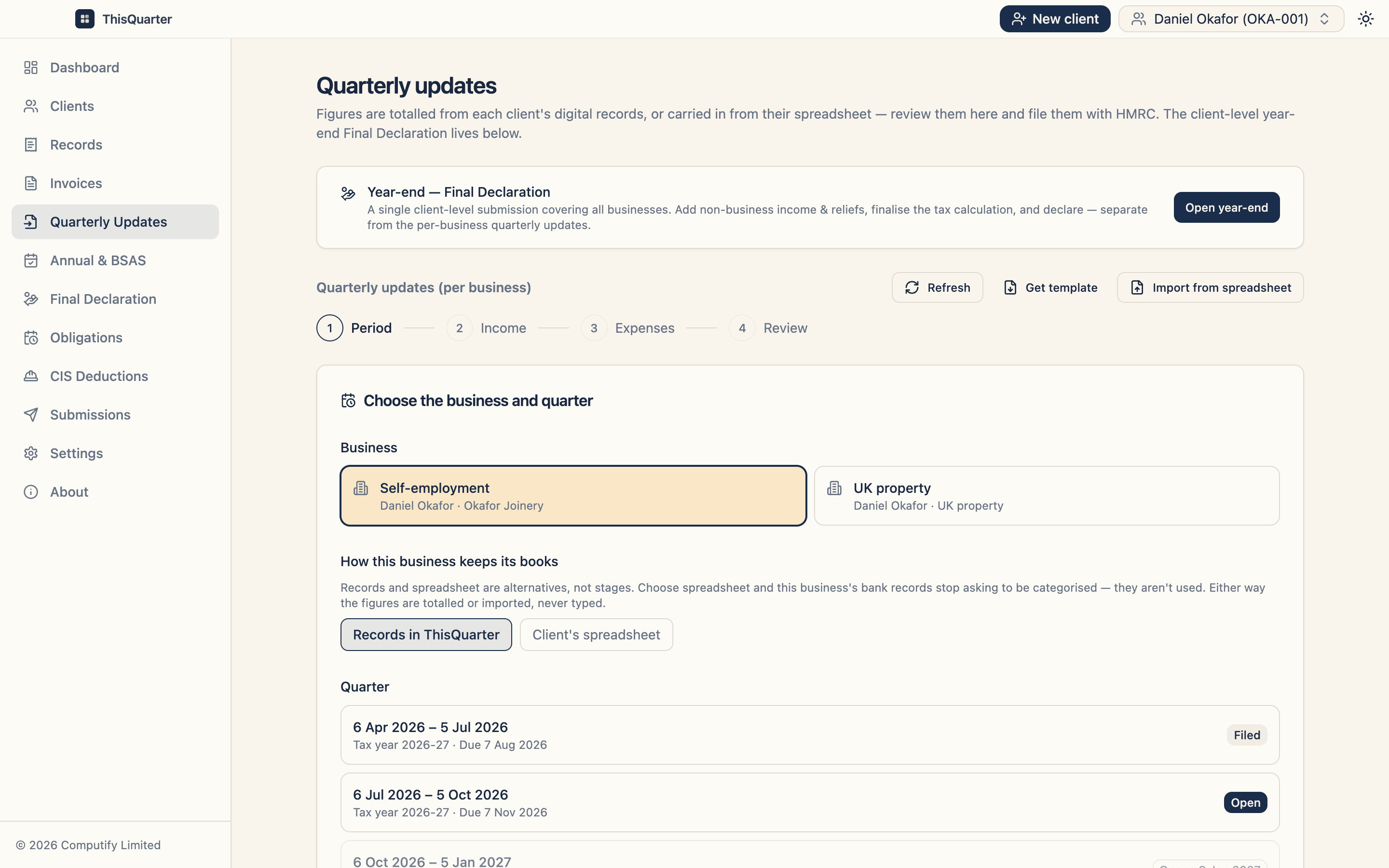
Bookkeeper
Clients who won't give up their spreadsheet
The client keeps their workbook; ThisQuarter reads it as the digital record and files from it.
Read the workflowYour practice
Filing for clients with ThisQuarter? We'd like to tell your story.
Get in touch
Screenshots are the real app, filled with example names and figures.
Accountancy practice
A practice filing every client's quarter from one desktop
A small practice whose self-employed and landlord clients have all moved to quarterly filing. The work is no longer one return in January — it is four deadlines a year, per business, per client.
What gets filed
- Quarterly updates for every business
- Annual adjustments and BSAS
- A final declaration per client
- 1
Connect once
Sign in with the practice's HMRC Agent Services Account. The connection covers every client who authorises you.
- 2
Invite each client
Add the client's name, National Insurance number and postcode. HMRC sends the invitation, and the list shows who is invited and who has authorised you.
- 3
Work one client at a time
Set a client active, bring in their bank records or spreadsheet, and review the quarter that is due.
- 4
File and move on
Submit to HMRC. The receipt is kept against the client and their obligations update from HMRC.
Construction (CIS)
A joiner paid net of CIS by two contractors
A self-employed joiner who works for two main contractors, each deducting 20% under the Construction Industry Scheme, plus private jobs paid in full.
What gets filed
- Quarterly updates for the trade
- A final declaration that reflects CIS withheld
- 1
Bring in the bank statement
Payments in and materials out are categorised as turnover and cost of goods.
- 2
See what contractors reported
CIS Deductions lists each contractor's monthly return from HMRC: gross paid, materials and tax withheld.
- 3
Compare with the bank
Check each contractor's gross figure against what arrived in the account, before the year end.
- 4
File the quarter
The update goes from the records. The CIS already withheld counts in HMRC's calculation of the year's tax.
Sole trader
A sole trader with one business bank account
A sole trader over the £50,000 threshold who has always done a self assessment return once a year, and now has to report every quarter.
What gets filed
- Four quarterly updates
- The final declaration that replaces the SA100
- 1
Import the statement
Upload the bank's CSV export. Lines are matched to categories, and anything unclear waits in Needs review.
- 2
Teach it once
Categorise a payee and apply rules, so next quarter's statement sorts itself.
- 3
Add receipts
Drop in receipt photos or PDFs. They are read on your own computer and attached to the record.
- 4
Check and send
The quarterly update is totalled from the records, shown line by line, and sent when you confirm it.
Landlord
A landlord with a trade on the side
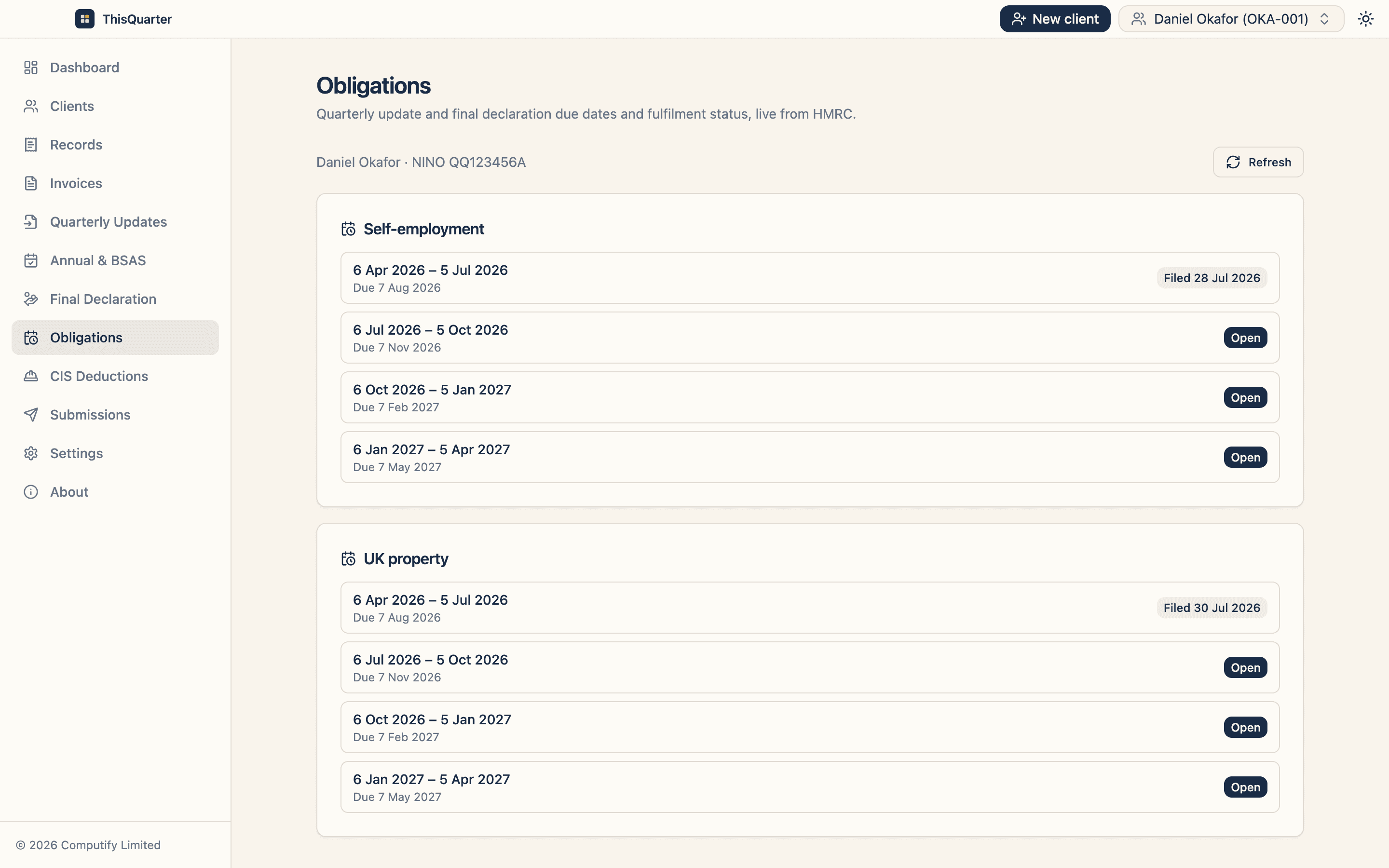
Someone who lets two flats and runs a small trade. HMRC treats the property income and the trade as separate businesses, each with its own quarterly updates.
What gets filed
- Quarterly updates for the property
- Quarterly updates for the trade
- One final declaration
- 1
Both businesses from HMRC
The UK property business and the self-employment come straight from HMRC's records for the client.
- 2
Records to the right place
Rent, repairs and finance costs go to the property; sales and materials go to the trade.
- 3
Separate deadlines, one view
Obligations show each business's quarters, what is filed and what is still open.
- 4
One declaration
At the year end, a single final declaration covers both businesses.
Bookkeeper
Clients who won't give up their spreadsheet
A bookkeeper whose clients have kept their accounts in Excel for years and don't want to change how they work just because HMRC has.
What gets filed
- Quarterly updates from the workbook
- Annual adjustments and the final declaration
- 1
Choose the spreadsheet route
Mark the business as keeping its books in the client's spreadsheet, so its bank records aren't needed.
- 2
Start from the template
Get the template from the Quarterly Updates page, or keep the client's own labelled workbook.
- 3
Import, don't retype
Import from spreadsheet reads the figures by label into the quarter, keeping the digital link HMRC requires.
- 4
Review and submit
The same line-by-line check as any other update, then it goes to HMRC.
Running MTD in your practice with ThisQuarter?
We'd like to tell your story here — and in return, we'll walk you through the parts of the app you haven't found yet.
Get in touch