Quarterly Tax Software for MTD: What It Is and How to Choose
What 'quarterly tax software' means under Making Tax Digital, why you now file four times a year, the features that make quarterly updates painless, and how to pick software for quarterly income tax reporting.
The short answer
Quarterly tax software is MTD-compatible software that files the four cumulative quarterly updates HMRC now requires for Income Tax, plus the year-end final declaration. The best options pull your HMRC obligations and deadlines, make each quarterly update a quick review of records you keep as you go, and let you import figures from a spreadsheet — all while filing directly to HMRC.
"Quarterly tax software" is a phrase that only exists because of Making Tax Digital. Here's what it means, why you now file four times a year, and how to choose a tool that makes it painless rather than a chore.
What "quarterly tax" actually means
Under MTD for Income Tax, in-scope sole traders and landlords no longer file one annual return. Instead you send a cumulative quarterly update every three months, then a final declaration after year-end. "Quarterly tax software" is simply MTD-compatible software that files those updates to HMRC.
The four quarters
| Quarter | Period | Deadline |
|---|---|---|
| Q1 | 6 Apr – 5 Jul | 7 Aug |
| Q2 | 6 Jul – 5 Oct | 7 Nov |
| Q3 | 6 Oct – 5 Jan | 7 Feb |
| Q4 | 6 Jan – 5 Apr | 7 May |
Updates are cumulative (year-to-date), so a slip in one quarter is naturally corrected in the next. See the full quarterly calendar.
You don't pay tax quarterly
A crucial myth to bust: filing quarterly does not mean paying tax four times a year. Quarterly updates are reports, not payments. Tax is calculated at the final declaration and paid on the usual dates — see payments on account.
What makes quarterly software good
| Feature | Why it matters |
|---|---|
| Pulls HMRC obligations | See open quarters and deadlines at a glance |
| Cumulative-aware | Shows last quarter's figure so updates are easy to check |
| Spreadsheet import | Bring figures you already keep |
| Clear review step | Confirm every figure before filing |
| Files the final declaration too | Not just the four quarters |
Making each quarter a five-minute job
The secret isn't the software alone — it's keeping records as you go. Do a little bookkeeping each week/month and each quarterly update becomes a quick review, not a scramble.
Where ThisQuarter fits
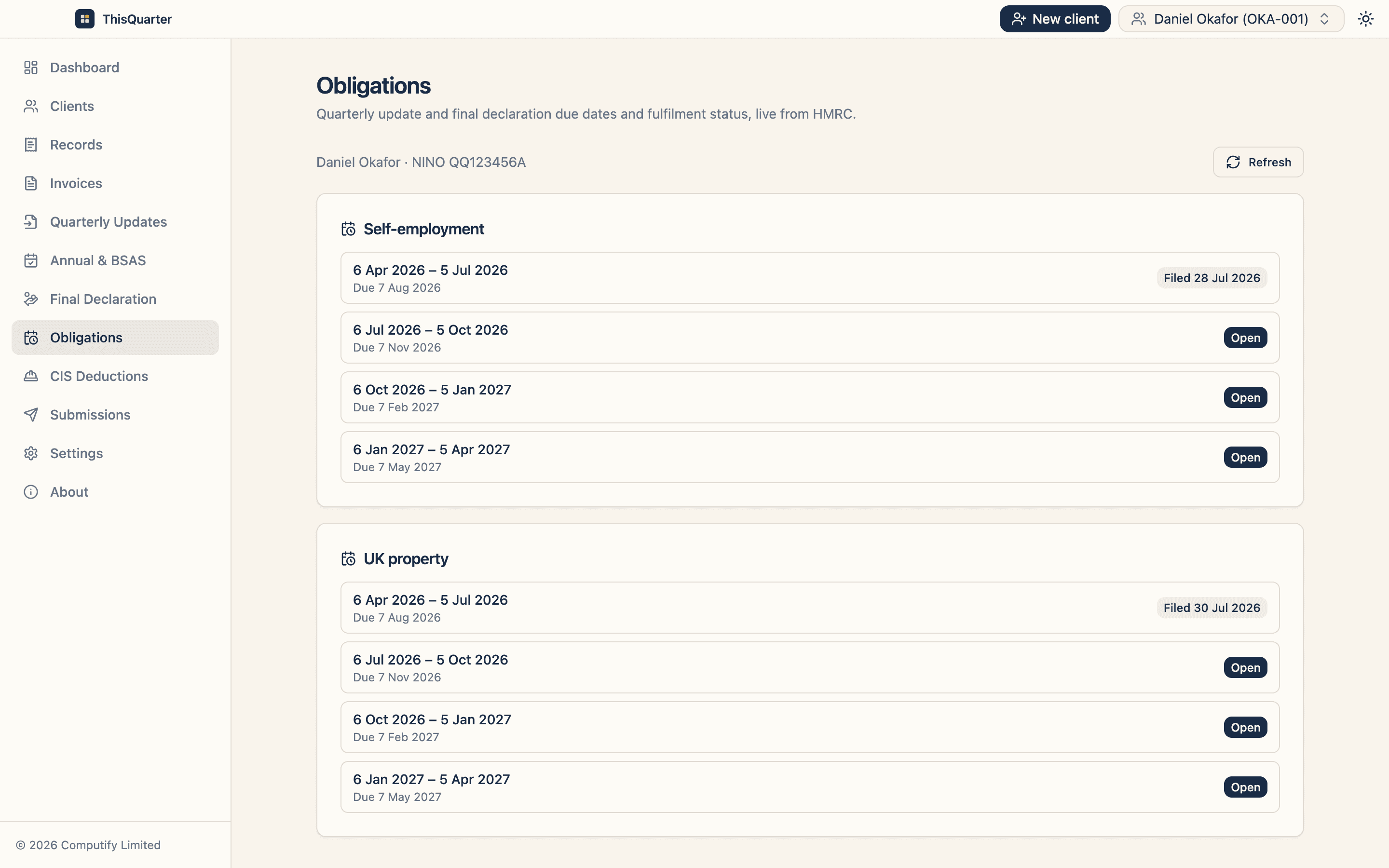
ThisQuarter shows your live HMRC obligations and deadlines, displays the last-quarter figure beside each field so cumulative updates are easy to check, imports from a spreadsheet, and files quarterly updates and the final declaration — from a secure, encrypted desktop app, first two quarterly cycles free on the Solo plan.
Key takeaways
- Quarterly tax software files the four cumulative MTD updates plus the final declaration.
- Quarterly filing is reporting, not paying — payment dates are unchanged.
- Good tools pull your obligations, are cumulative-aware, and import spreadsheets.
- Combined with records-as-you-go, each quarter takes minutes.
This article is general information, not tax advice. Check the MTD rules at gov.uk.
Frequently asked questions
What is quarterly tax software?
Software that files the quarterly updates Making Tax Digital requires for Income Tax. Instead of one annual return, you send four cumulative updates a year plus a final declaration, and the software submits them digitally to HMRC.
Why do I file tax quarterly now?
Under MTD for Income Tax, in-scope sole traders and landlords send a cumulative quarterly update every three months so HMRC has a running picture. You don't calculate or pay tax each quarter — payment dates are unchanged; only reporting is more frequent.
Does quarterly filing mean paying tax four times a year?
No. Quarterly updates are reports of income and expenses, not payments. Your tax is calculated at the final declaration and paid on the usual dates (31 January, with payments on account on 31 July).
What makes quarterly filing painless?
Keeping digital records as you go, software that pulls your HMRC obligations and deadlines, cumulative figures that self-correct earlier quarters, and a clear review step. Then each update is a few minutes, not a rebuild.
Related reading
Best MTD Bridging Software in 2026: What to Look For
A guide to choosing MTD bridging software in 2026 — how bridging works, who it suits, the features that matter, pricing to expect, and how to keep your spreadsheet while still filing digitally to HMRC.
Best MTD Software for Landlords in 2026: What to Look For
How landlords should choose MTD software in 2026 — handling UK and foreign property, joint ownership, finance-cost relief, multiple properties, and filing quarterly updates and the final declaration to HMRC.
Best MTD Software for Accountants in 2026: What to Look For
How accountancy practices should choose MTD for Income Tax software in 2026 — multi-client workflow, Agent Services Account integration, client authorisations, bulk filing, pricing per client and data security.